Where did the day go? Three people who stopped guessing
Contents
Most of us can say roughly where we spent the day. Very few of us could say exactly, a week later, and almost nobody wants to clock in and out of every place to find out.
StopDiary is an iPhone app that rebuilds your day as a list of stops: where you were, when you arrived and when you left. You don't check in, you don't press start, and it doesn't keep the GPS on all day. It uses the visits iOS already detects and the motion history your iPhone already keeps, then puts them together into a timeline. Everything stays on your phone: no account, no server, no tracking.
You give a name to the places that matter ("Office", "Gym", "Mrs Ahmed") and a category to each one, and from then on the diary fills itself in. When you need it, the Report turns any week or month into totals you can share as a PDF or a CSV file.
Here are three people it suits well.
1. The heating engineer: every call-out, without the paperwork
Dan fixes boilers and radiators around Walthamstow. A typical day is a quick stop at the trade counter, four or five homes, and a sandwich somewhere in between. At the end of the week he has to tell the office how long each job took, and by Friday Monday has become a blur.
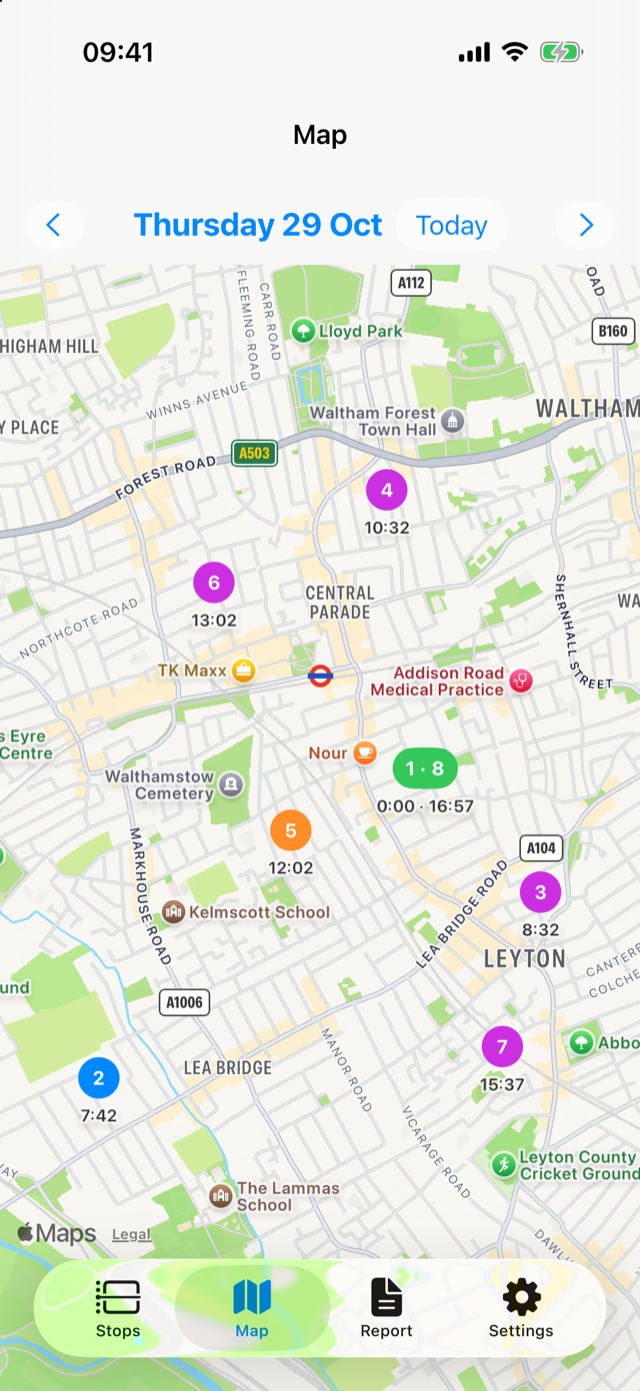
With StopDiary he names each customer's home the first time he goes there and puts it in a "Call-outs" category. After that, every visit to that address is recognised on its own.
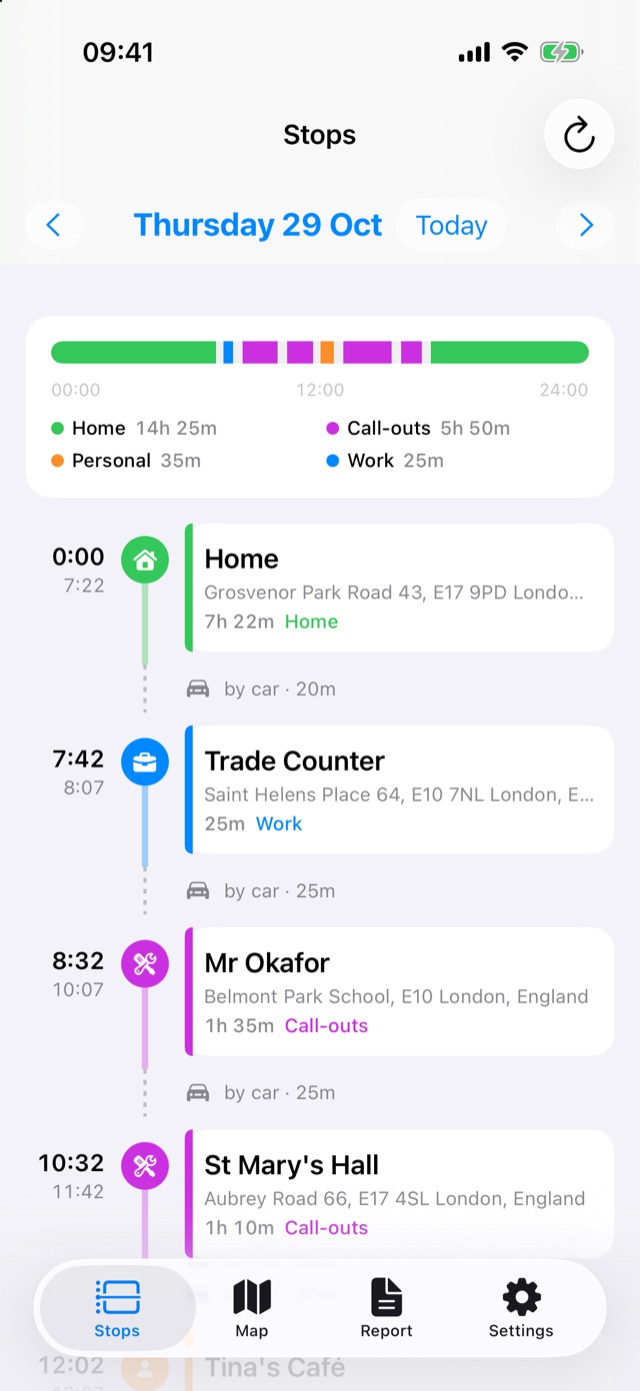
The coloured bar at the top shows the whole day at a glance: purple for jobs, blue for the trade counter, orange for lunch. Below it, each stop has its address and how long he stayed. The time spent driving between jobs is there too.
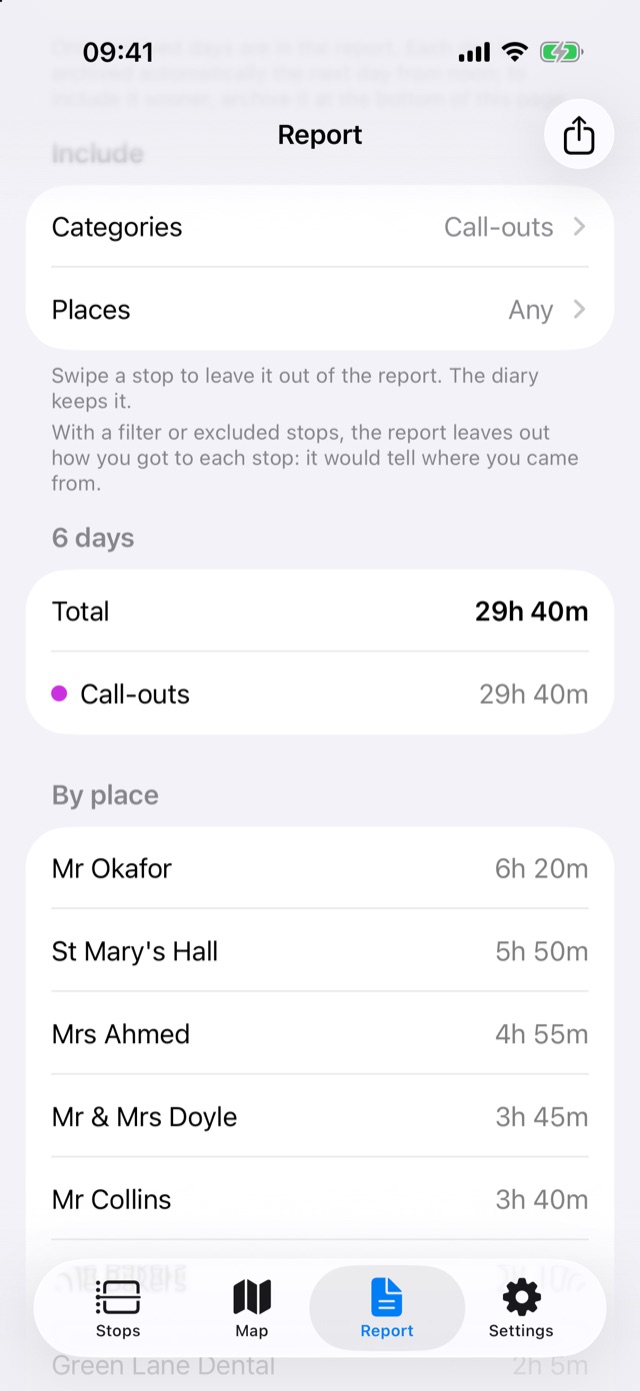
On Friday he opens the Report, picks last week and keeps only "Call-outs". He gets the total and the time spent at each customer, ready to send as a PDF. The trips between jobs, the café and home are left out; if a stop shouldn't be billed, he swipes it away from the report and the diary keeps it.
2. The gym-goer: how many times, really?
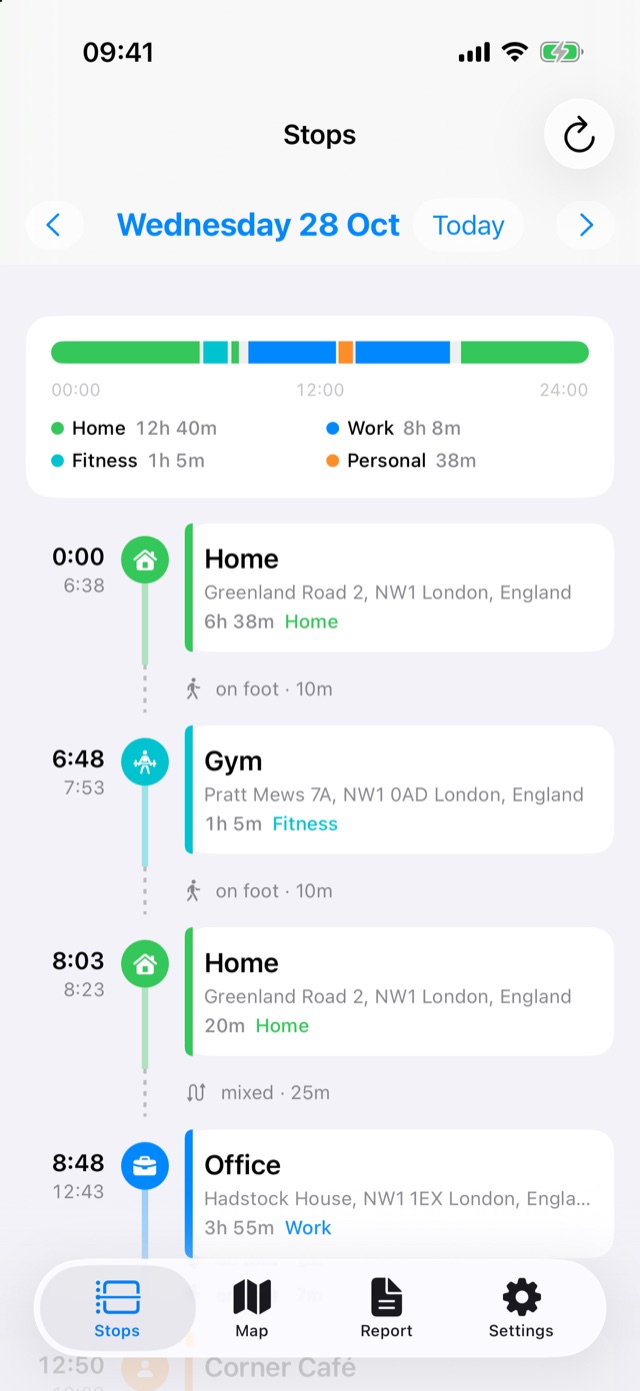
Priya pays for a gym membership near home in Camden. Her plan is Monday, Wednesday and Friday before work, plus Saturday morning. Some weeks that happens. Some weeks it doesn't, and she honestly can't tell which kind of month it's been.
She doesn't have to do anything at the gym: no app to open, no button to press. StopDiary notices the stop, and because she named the place "Gym" once, it shows up in its own colour.
At the end of the month she opens the Report, chooses "Month" and filters by the place "Gym". The answer is right there: 12 days in October, almost 14 hours in total, with every visit listed by date.
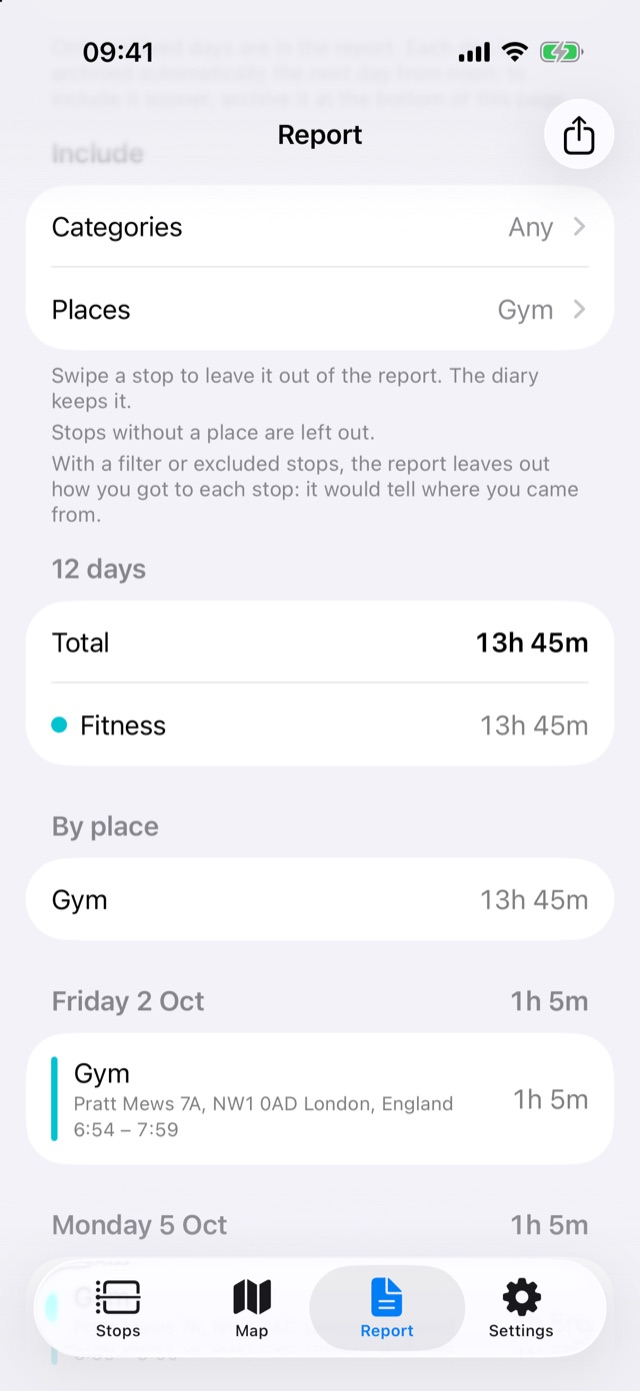
On an iPhone with Apple Intelligence she can skip the filters and just ask, in her own words: "How many hours at the Gym last month?" The Report sets the period and the place for her and answers in a sentence. It all happens on the phone, like everything else in StopDiary.
It's an honest number, not the one she remembers. That's usually enough to decide whether to keep the membership, or to keep the promise.
3. The sales rep: the monthly activity report, written for you
Mark covers independent shops across north London: pharmacies, garden centres, hardware stores, delis. Four or five visits a day by car, head office on Friday mornings. At the end of every month his manager wants a report of who he visited and for how long.
Each client is a named place in a "Clients" category. His day looks like this:
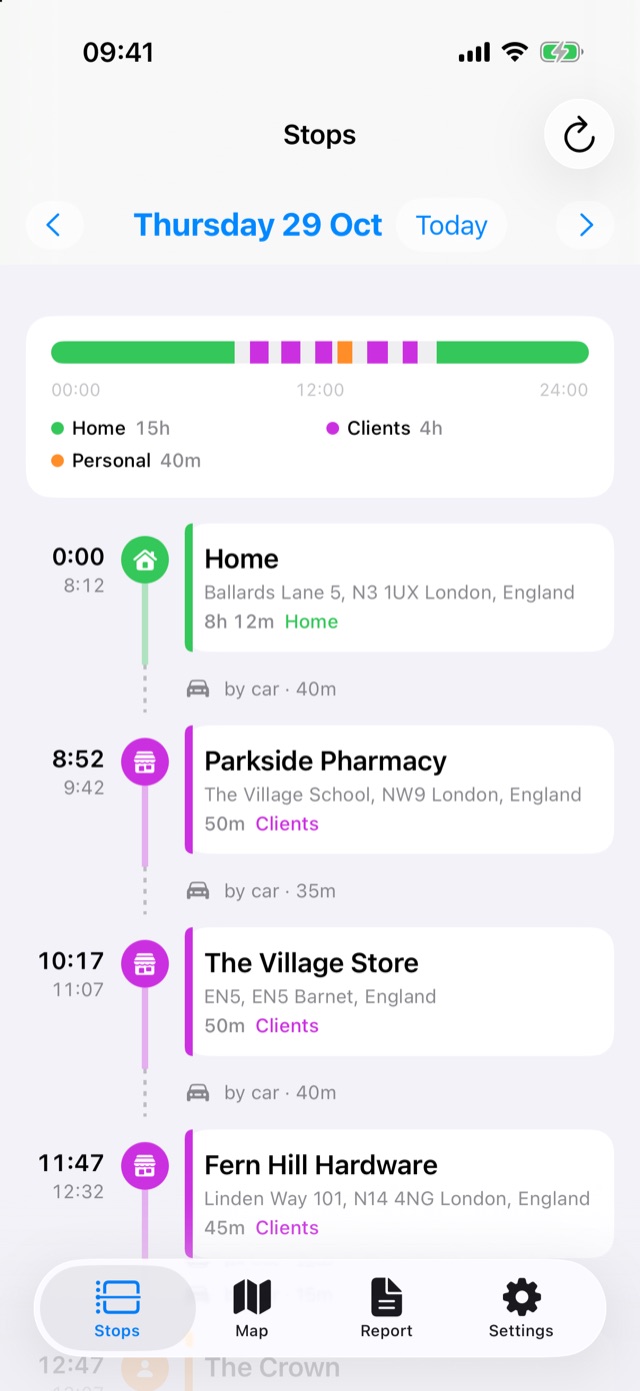
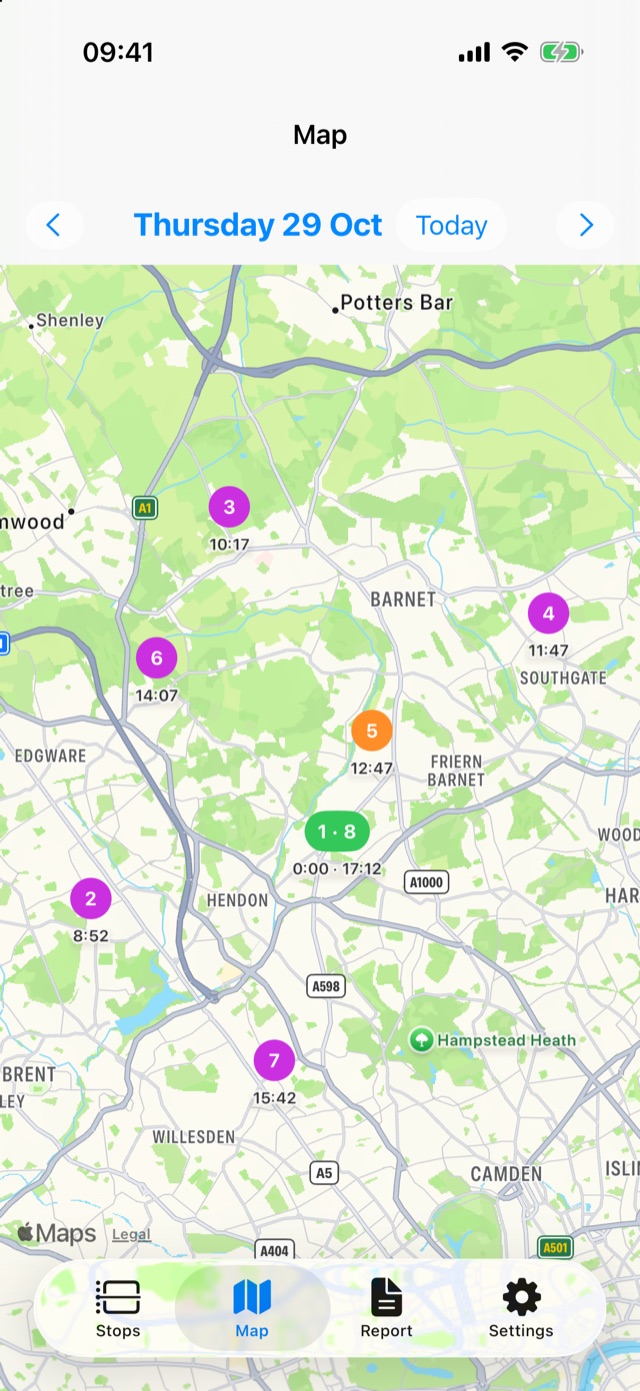
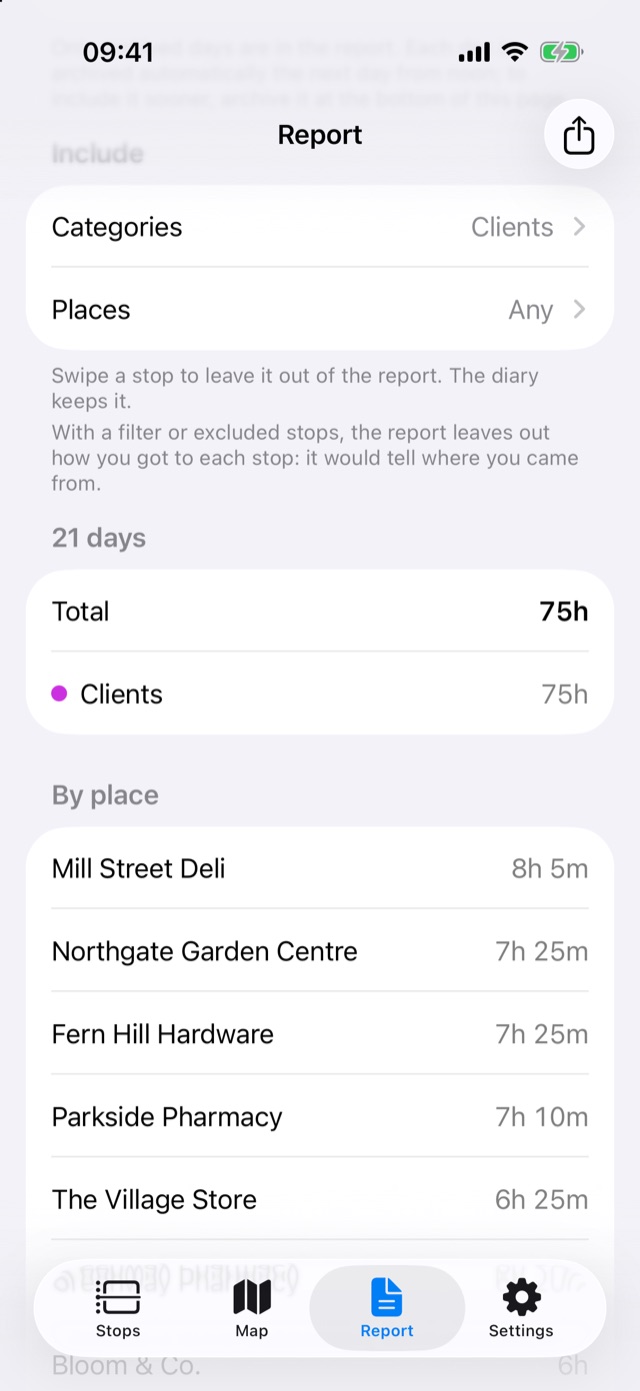
On the last day of the month he opens the Report, picks "Month" and keeps only "Clients". He gets 21 working days, the total time with clients and the time spent with each one. One tap on the share button gives a PDF for his manager or a CSV for the expenses spreadsheet. Lunch, the golf club on Saturday and home are not in it.
Why it doesn't drain your battery
StopDiary never follows you with continuous GPS. iOS already notices when you arrive somewhere and when you leave, and the iPhone's motion chip already records whether you were walking, driving or sitting still. StopDiary reads both and works out the stops. That's why it needs the "Always" location permission and Motion & Fitness access, and why it costs so little battery.
Private by design
Your diary stays on your iPhone. There's no account to create and no server that receives your movements. Reports leave the phone only when you share them, and you choose what goes in: a category, a few places, or a single stop excluded by hand. You can also lock the app with Face ID.
Try it
StopDiary is available on the App Store for iPhone, in English, Italian, Spanish, French and German.